Free online calculator
CalcSolver: Free Scientific Calculator & Math Solver Online
Type or tap any problem and get the answer instantly, with fractions, trig, logs and more. Free, with no download or sign-up.
- Fraction answers, automatically
- Trig, logs, roots and nCr
- No download or sign-up
Enter a four-digit activity code, then press =. Try 0000.
Keyboard works too: type an expression, press Enter for the answer and Esc to clear.
CalcSolver Key Guide: What Each Button Does
TrigonometryLogs and exponentsPowers and rootsMemory and AnsOperators
| Keys | What it does, with an example |
|---|---|
| sincostan | Sine, cosine and tangent. Pick DEG or RAD at the top first.
sin30=0.5
Type it: sin(30), cos(60), tan(45) |
| sin−1cos−1tan−1 | Inverse trig: finds the angle from a ratio.
sin−10.5=30
Type it: asin(0.5) |
| logln | log is base 10 and ln is base e.
log1000=3
Type it: log(1000), ln(e) gives 1 |
| x2xy√∛ | Squares, any power, square roots and cube roots.
2xy10=1,024
√144=12
Type it: 5^2, 2^10, sqrt(144), cbrt(27) |
| 10xex1/x | Powers of 10 and e, and the reciprocal of a number. 10x3=1,000 41/x=0.25 |
| () | Brackets are worked out first. A bracket you forget to close is closed for you. (2+3)×4=20 |
| πen! | The constants π and e, and factorial.
5n!=120
Type it: 2×pi, 5! |
| nCrnPr | Combinations (order does not matter) and permutations (order matters). 5nCr2=10 5nPr2=20 |
| sinhcoshtanh | Hyperbolic functions, used in physics and engineering. cosh0=1 |
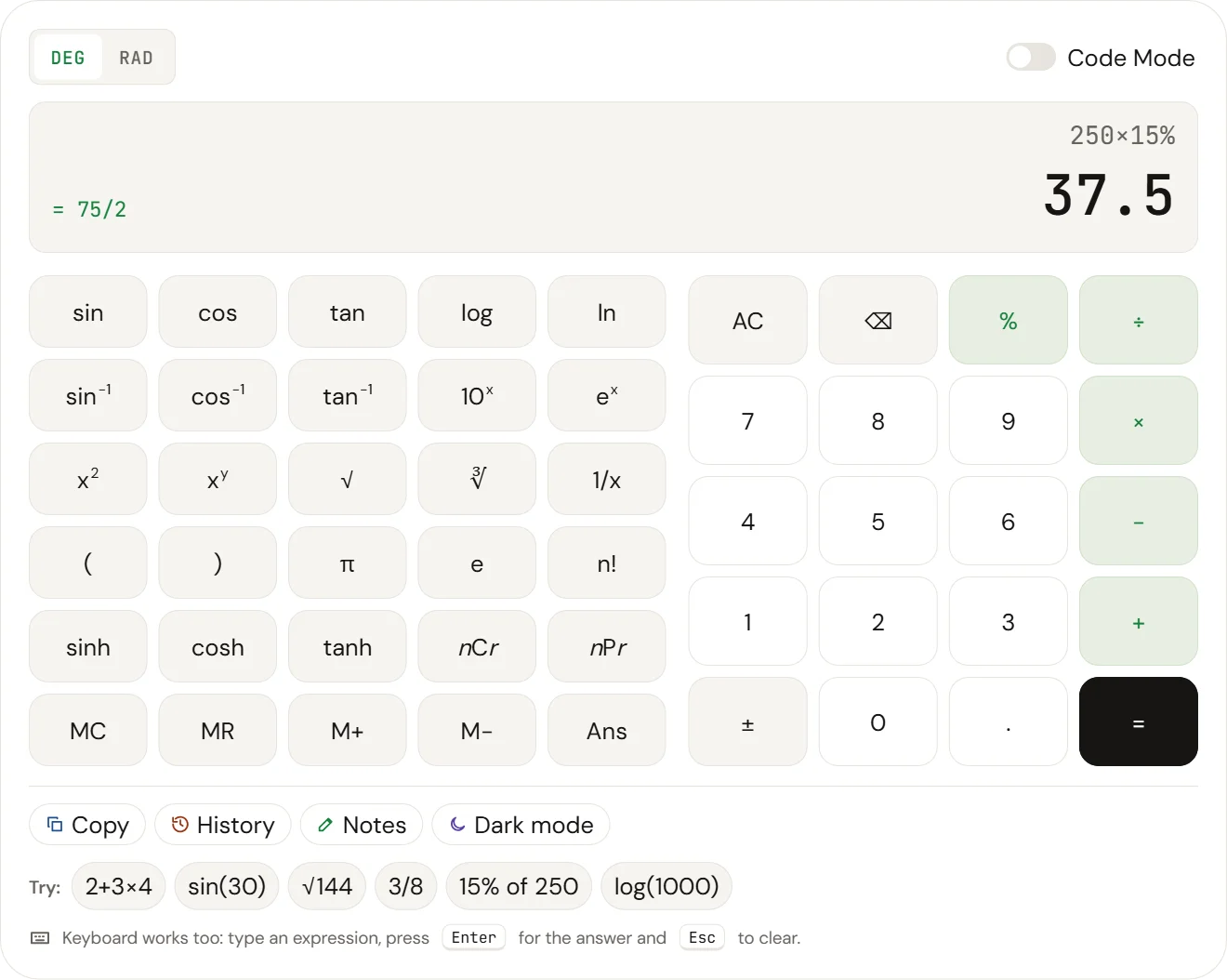
| % | Percent. After + or − it adds or removes that share of the number. After × it takes that share. 200+10%=220 250×15%=37.5 |
| ±Ans | ± flips the last number between positive and negative. Ans reuses your last answer in a new problem. |
| MCMRM+M− | Memory. M+ adds the answer to memory, M− subtracts it, MR recalls it and MC clears it. An M on the screen shows memory is in use. |
| AC⌫ | AC clears everything and ⌫ deletes the last character. On a keyboard, use Esc and Backspace. |
| DEGRAD | Sets the angle unit for trig. Use DEG for most school problems and RAD when angles are given in terms of π. |
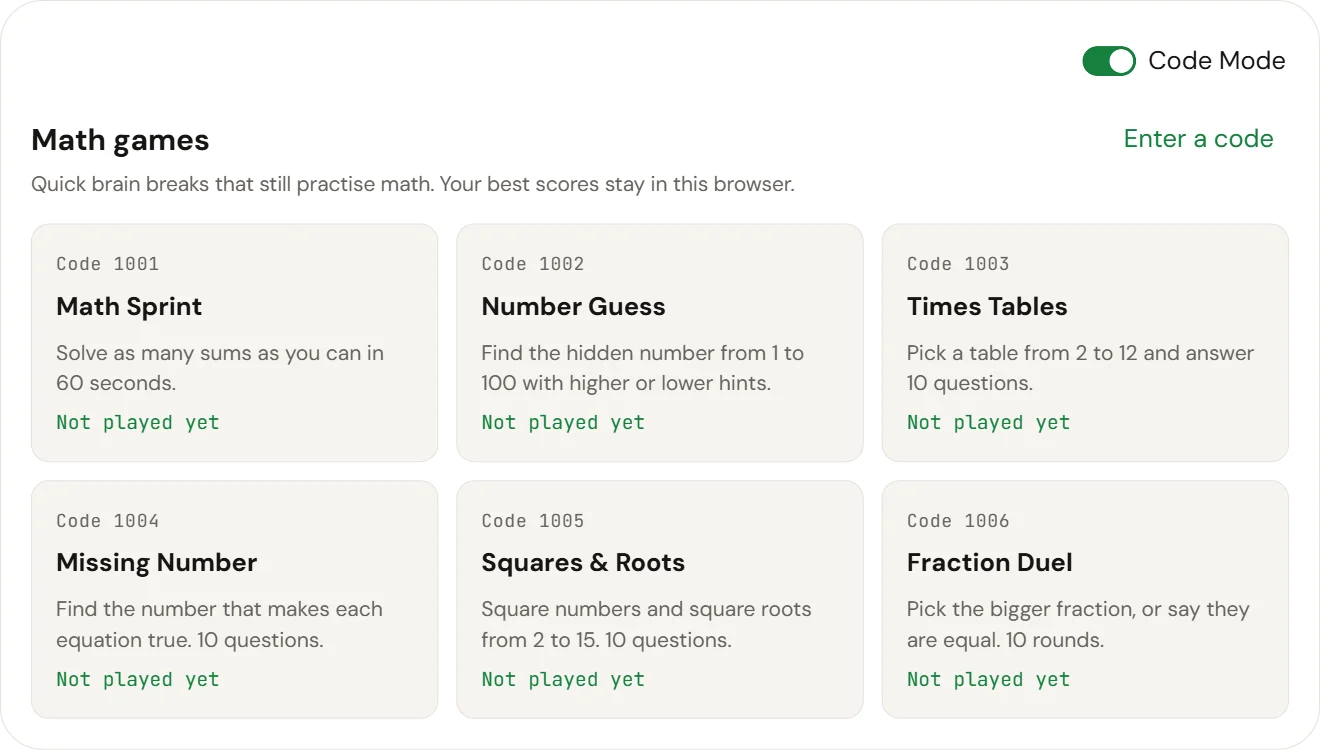
| Code Mode | Turns the keypad into an activity code pad. Enter 0000 and press = to see all six math games, or a code such as 1001 to open one directly. |
On this page
CalcSolver is a free scientific calculator that runs in your browser. Type or tap a problem, press =, and get the answer straight away, with a fraction shown beside the decimal when one exists. It handles trigonometry, logarithms, powers, roots, factorials, combinations and percentages. There is nothing to download and no account to make, so it works the same on a phone, a laptop or a school Chromebook.
What Is CalcSolver? The Free Calc Solver Explained
CalcSolver is an online calc solver: a scientific calculator that reads a whole expression, follows the order of operations, and returns the answer. You can type 2+3×4 exactly as it looks in your book and get 14, not 20. If the answer is a clean fraction, such as 0.625, CalcSolver also shows it as 5/8.
It covers the math most people meet from middle school to first-year university: arithmetic, percentages, fractions, powers and roots, trigonometry in degrees or radians, logarithms, factorials, and combinations. Everything runs in your browser, and nothing you type is sent to a server.
In short: CalcSolver is a free browser calculator that solves full expressions in the right order and shows fraction answers, with no download or sign-up.
Why We Built CalcSolver for Students
Most students need a calculator at the exact moment a physical one is out of reach: at home on a laptop, on a school Chromebook that will not install apps, or on a phone whose built-in calculator hides the expression you typed. We wanted one page that opens fast, shows the full problem on screen so mistakes are easy to spot, and gives answers in the form teachers ask for, including fractions.
We also kept it honest about its limits. CalcSolver is a numeric calculator. It does not do symbolic algebra or calculus, and the sections below say when another tool is the better choice. Learn more about CalcSolver.
Try the Scientific Calculator Online
The calculator sits at the top of this page and is ready as soon as it loads. Tap the keys or type on your keyboard; a live preview shows the answer while you type, and = locks it in.
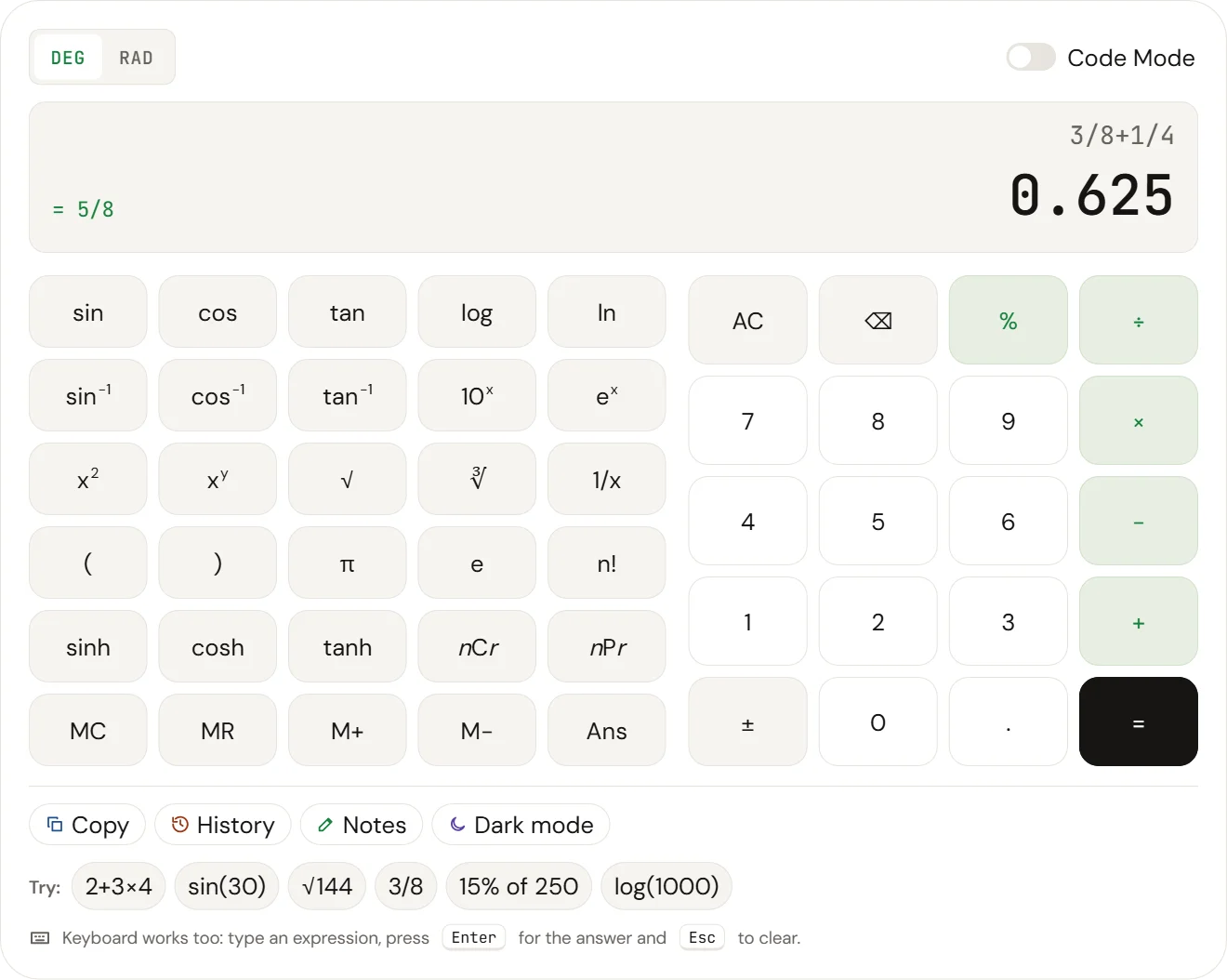
In short: Open the page and start typing; try an example, save working in Notes, and switch to dark mode when you need it.
Quick Calculations to Get Started
Tap any example under the calculator, or try these:
| Type this | You get | What it shows |
|---|---|---|
2+3×4 | 14 | Multiplication comes before addition |
3/8+1/4 | 0.625 = 5/8 | Fraction answers |
80+15% | 92 | Adding a percentage |
sin(30) | 0.5 | Trigonometry in degrees |
10nCr3 | 120 | Combinations |
√(144)+∛(27) | 15 | Square and cube roots |
Built-In Scratchpad for Notes and Working
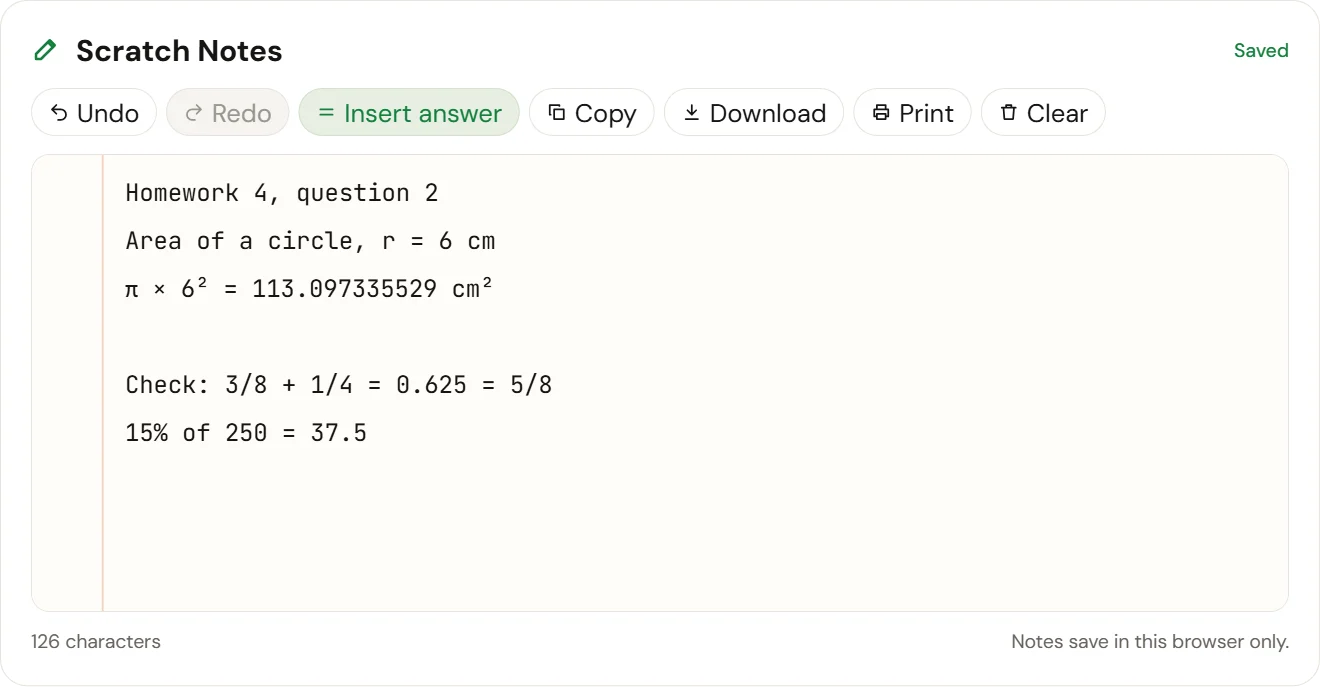
The Scratch Notes pad sits right under the calculator. Use it to write down your working, a formula, or the answer to question 4 before you move on. Insert answer adds the current calculation, such as 3/8+1/4 = 0.625, and you can undo, redo, copy, download your notes as a text file or print them. Notes save automatically in your browser and stay there until you clear them.
Light and Dark Calculator Modes
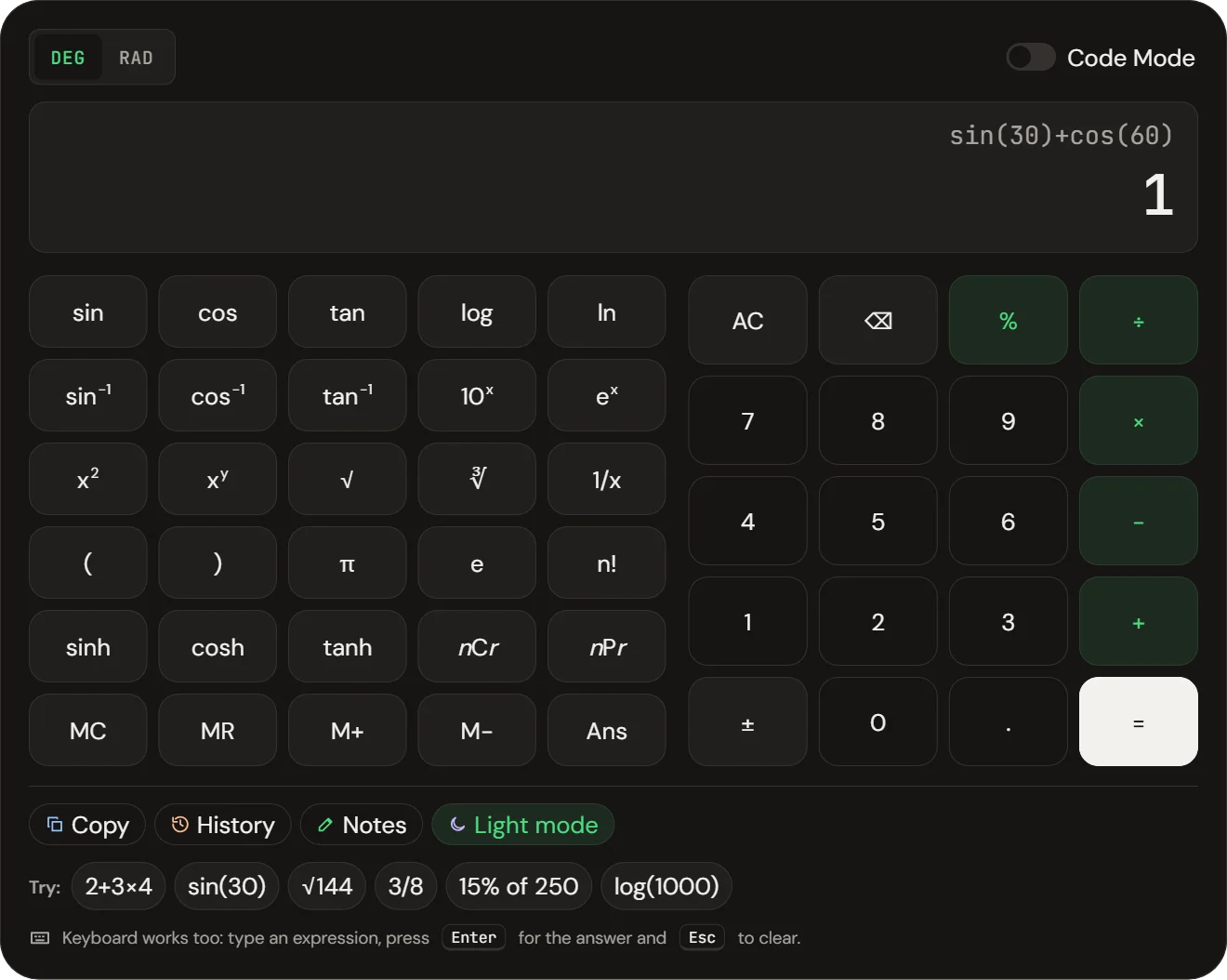
The calculator opens in a clean light theme on a white page. Press Dark mode for a darker keypad that is easier on the eyes during late study sessions; CalcSolver remembers your choice next time.
How Do You Use the Online Scientific Calculator?
Type the problem the way it is written, then press = or Enter. CalcSolver reads the whole line at once, so you never have to work out the order of keys yourself.
In short: Type the problem as written and press =; CalcSolver handles the order of operations, brackets, fractions and percentages for you.
Basic Arithmetic, Brackets and Order of Operations
CalcSolver follows the standard order of operations, often taught as PEMDAS or BODMAS: brackets first, then powers and roots, then multiplication and division, then addition and subtraction. Multiplication and division share the same rank and are done from left to right, so 12/6×3/2 gives 3. Addition and subtraction work the same way.
Use brackets whenever you want a different order: (2+3)×4 gives 20. If you forget to close a bracket, CalcSolver closes it for you when you press =. You can also skip the × sign next to a bracket or a constant, so 2(3+4) and 2π work as you expect.
Working with Fractions and Percentage Changes
Enter a fraction with the ÷ key or a slash: 3/4+1/6 gives 0.916666666667 and the exact answer 11/12 beside it. Keep the fraction when you need an exact value, because repeating decimals are rounded on screen.
Percentages follow the rules of a phone calculator:
80×15%gives 12, which is 15% of 80.80+15%gives 92, which is 80 increased by 15%.80−15%gives 68, which is 80 decreased by 15%.- For a percentage change from 50 to 65, type
(65−50)/50×100to get 30, a 30% increase.
Keyboard Shortcuts for Faster Calculations
| Key | What it does |
|---|---|
| Enter or = | Calculate |
| Esc | Clear everything |
| Backspace | Delete the last character (a whole function such as sin( in one press on the keypad) |
| * and / | Multiply and divide |
| ^ | Power, for example 2^10 = 1,024 |
How Your Answer and Working Are Displayed
The top line shows your full expression and the large line shows the result. While you type, the result appears in grey as a preview; after = it turns dark. A fraction such as = 5/8 appears on the left when the answer has one. Press Ans to reuse the last answer, ± to flip the sign of the last number, and History to see your last 20 calculations. Tap any history line to load it again.
What Can the Scientific Calculator Do?
CalcSolver has more than 50 keys, grouped by topic. On a phone, tap Show scientific keys to open the function keys above the number pad.
In short: It covers trig, powers, roots, logs, fractions, percentages, factorials and nCr/nPr, but it does not graph or do symbolic algebra.
Trigonometry: sin, cos and tan in Degrees and Radians
Use sin, cos and tan for the ratios of a right triangle, and sin⁻¹, cos⁻¹ and tan⁻¹ to find an angle from a ratio. The DEG / RAD switch at the top decides the angle unit. In DEG mode sin(30) is 0.5; in RAD mode sin(π/2) is 1. School geometry problems usually use degrees, while calculus and physics formulas usually use radians. To convert by hand, multiply degrees by π/180: 45° is about 0.785 radians. CalcSolver tells you when a value has no answer, such as tan(90°).
For engineering and higher math, sinh, cosh and tanh give the hyperbolic functions.
Powers, Roots and Exponents
x² squares a number and xʸ raises it to any power, so 2^10 is 1,024. √ and ∛ give square and cube roots, and 1/x gives the reciprocal. 10ˣ and eˣ are the inverse of log and ln. Odd roots of negative numbers work too: (−8)^(1/3) is −2.
Logarithms: log vs ln
log is the base-10 logarithm: log(1000) is 3 because 10³ = 1,000. ln is the natural logarithm, with base e (about 2.718): ln(e) is 1. Science and engineering courses use log for scales such as decibels and pH, while ln appears in growth, decay and calculus. Both need a positive number inside the bracket.
Fractions, Decimals and Percentages
Every answer that is a simple fraction shows it beside the decimal, with denominators up to 1,000. That makes it easy to switch between forms: 5/8 is 0.625, which is 62.5%. To turn a fraction into a percentage, multiply by 100: 5/8×100 gives 62.5.
Prime Numbers, LCM and GCF
CalcSolver does not yet have a dedicated LCM or GCF key, but it speeds up the method. To test whether 91 is prime, divide it by the primes up to √91 (about 9.5): 91/7 gives 13, a whole number, so 91 is not prime. To find the GCF of two numbers, list their prime factors and multiply the shared ones. The LCM then follows from LCM = (a × b) ÷ GCF.
Remainder Theorem and Polynomials
The remainder theorem says that when a polynomial P(x) is divided by (x − a), the remainder is P(a). That turns a long division into one calculation. For P(x) = 2x³ − 3x + 5 divided by (x − 2), type 2×2^3−3×2+5 to get 15, the remainder. If the answer is 0, (x − a) is a factor.
Factorials, Permutations and Combinations
n! multiplies all whole numbers up to n, so 7! is 5,040. Use nPr when order matters and nCr when it does not: 5nPr2 is 20 ways to pick a first and second place from 5 people, while 10nCr3 is 120 ways to choose 3 people from 10. Both need whole numbers, with r no bigger than n.
How Accurate Are CalcSolver’s Answers?
CalcSolver shows answers to 12 significant digits, which is more than enough for school, college and everyday work. Under the hood it uses the browser’s double-precision numbers, the same standard most software uses. Those numbers cannot store some decimals exactly: in raw JavaScript, 0.1 + 0.2 comes out as 0.30000000000000004. CalcSolver rounds the display, so you see 0.3.
A few things to keep in mind:
- Repeating decimals are rounded on screen. 1/3 shows as 0.333333333333, with the exact fraction 1/3 beside it.
- Very large and very small answers switch to scientific notation, for example 2.5×10^20.
- Tiny rounding leftovers are cleaned up, so sin(180°) shows 0 instead of a number like 0.000000000000000122.
- When a calculation has no real answer, such as the square root of a negative number or log(0), CalcSolver says so in plain words instead of showing NaN.
For the steps behind an answer, use the scratchpad to write your working and check each step against the calculator.
In short: Answers are accurate to 12 digits, rounding errors are cleaned up, and exact fractions appear for repeating decimals.
Free Math Tools for Fractions, Percentages and Equations
The same calculator doubles as a set of everyday math tools. Here is how to use it for the jobs students search for most.
In short: One calculator works as a fraction, percentage, average and nCr/nPr calculator, and it checks solve-for-x answers by substitution. To solve the equation itself, use the solve for x calculator.
New tool
Solve for x Calculator
Type any equation, inequality or quadratic and see every step, a graph and an automatic check. Free, with exact fraction answers.
Fraction Calculator
Add, subtract, multiply or divide fractions by typing them with a slash, using brackets around each fraction when you mix operations. (2/3)×(9/4) gives 1.5 = 3/2, and (5/6)−(1/4) gives 0.583333333333 = 7/12. The fraction beside the result is already in lowest terms.
Simplifying and Equivalent Fractions
Type a fraction and press = to simplify it: 18/24 shows 0.75 = 3/4. Two fractions are equivalent when they give the same decimal, so 2/3, 4/6 and 10/15 all show 0.666666666667. To build an equivalent fraction yourself, multiply the top and bottom by the same number: 3/4 × 5/5 = 15/20.
Percentage Calculator
| Question | Type | Answer |
|---|---|---|
| What is 15% of 80? | 80×15% | 12 |
| What is 80 plus 15%? | 80+15% | 92 |
| What is 80 minus 15%? | 80−15% | 68 |
| 12 is what percent of 80? | 12/80×100 | 15 |
| Percentage change from 50 to 65 | (65−50)/50×100 | 30 |
Checking a Solve-for-x Answer
CalcSolver works with numbers, not letters, so it checks an equation rather than solving it symbolically. After solving 3x + 7 = 22 by hand (subtract 7, then divide by 3 to get x = 5), substitute your answer: 3×5+7 gives 22, so x = 5 is correct. This substitution check is the fastest way to catch a sign error before you hand in homework.
To solve the equation itself, with every step shown, use our free solve for x calculator.
Average (Mean) Calculator
The mean is the total divided by how many values there are. For test scores of 72, 85, 90 and 77, type (72+85+90+77)/4 to get 81. Put the values in brackets so the division applies to the whole total.
Combinations and Permutations Calculator
Use nCr to count groups and nPr to count ordered arrangements, as shown in the functions section above. A lottery that picks 6 numbers from 49 has 49nCr6 = 13,983,816 possible tickets.
What Math Formulas Should Every Student Know?
These are the formulas students reach for most, each with a version you can type straight into CalcSolver.
In short: Learn the core algebra, trig, fraction, geometry and statistics formulas, and type any of them into CalcSolver to check your answer.
Algebra Formulas
| Formula | Use it for |
|---|---|
| (a + b)² = a² + 2ab + b² | Expanding a square |
| a² − b² = (a + b)(a − b) | Difference of squares |
| x = (−b ± √(b² − 4ac)) / 2a | Quadratic equations ax² + bx + c = 0 |
| aˣ × aʸ = aˣ⁺ʸ and (aˣ)ʸ = aˣʸ | Exponent rules |
| log(xy) = log x + log y | Log product rule |
Example: for x² − 5x + 6 = 0, type (5+√(25−24))/2 to get 3, and (5−√(25−24))/2 to get 2.
Trigonometry Identities
| Identity | Note |
|---|---|
| sin²θ + cos²θ = 1 | Pythagorean identity |
| tan θ = sin θ / cos θ | Undefined when cos θ = 0 |
| sin 30° = 0.5, cos 60° = 0.5, tan 45° = 1 | Values worth remembering |
| 180° = π radians | Degree and radian conversion |
Fraction Rules
| Rule | Formula |
|---|---|
| Add unlike fractions | a/b + c/d = (ad + bc) / bd |
| Multiply | a/b × c/d = ac / bd |
| Divide | a/b ÷ c/d = a/b × d/c |
| Simplify | Divide top and bottom by their GCF |
Geometry: Area and Volume Formulas
| Shape | Formula | Type in CalcSolver (r = 5) |
|---|---|---|
| Circle area | A = πr² | π×5² = 78.5398163397 |
| Circle circumference | C = 2πr | 2π×5 = 31.4159265359 |
| Triangle area | A = ½ × base × height | 0.5×6×4 = 12 |
| Right triangle (Pythagoras) | c = √(a² + b²) | √(3²+4²) = 5 |
| Sphere volume | V = ⁴⁄₃πr³ | 4/3×π×5^3 = 523.598775598 |
Statistics and Probability Formulas
| Formula | Meaning |
|---|---|
| Mean = sum of values ÷ number of values | The average |
| Median = middle value of the sorted list | The centre of the data |
| P(event) = favourable outcomes ÷ total outcomes | Basic probability |
| nCr = n! / (r!(n − r)!) | Combinations |
| nPr = n! / (n − r)! | Permutations |
Step-by-Step Math Guides: Algebra, Fractions and Percents
The calculator gives the answer; the guides show the method, one step at a time, with worked examples you can check in CalcSolver. Browse every article on the CalcSolver blog.
In short: The calculator gives the answer, and the guides teach the method behind algebra, fractions, decimals and percents.
Algebra and Polynomials
How to simplify expressions, solve linear and quadratic equations, factor polynomials, and use the remainder theorem without long division. Start with our algebra basics guide or browse all algebra guides.
Fractions as Decimals and Percents
Common conversions such as 1/8 as a decimal (0.125) and 5/6 as a percent (about 83.33%), with the division that turns any fraction into either form.
Equivalent Fractions
What makes two fractions equal, how to find fractions equivalent to 2/3 or 3/4, and how to simplify a fraction to lowest terms.
Newest Algebra Guides
Step-by-step algebra lessons, from solving for x to functions, with worked examples and practice problems.
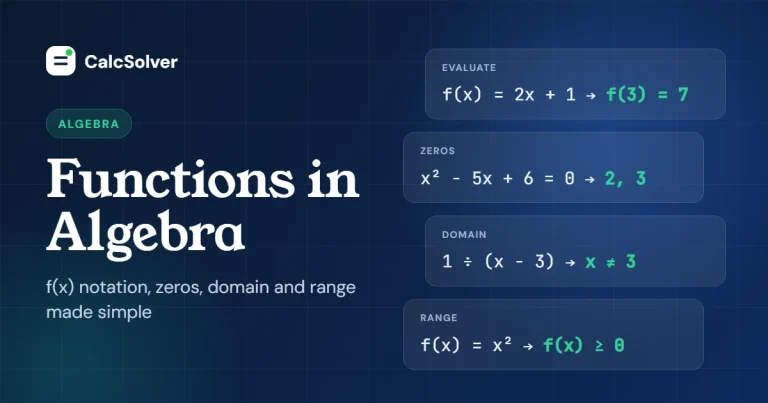
Functions in Algebra: f(x), Zeros, Domain and Range
Learn what a function is, how to read and evaluate f(x), make a function table, find the zeros and work out the domain and range, with…
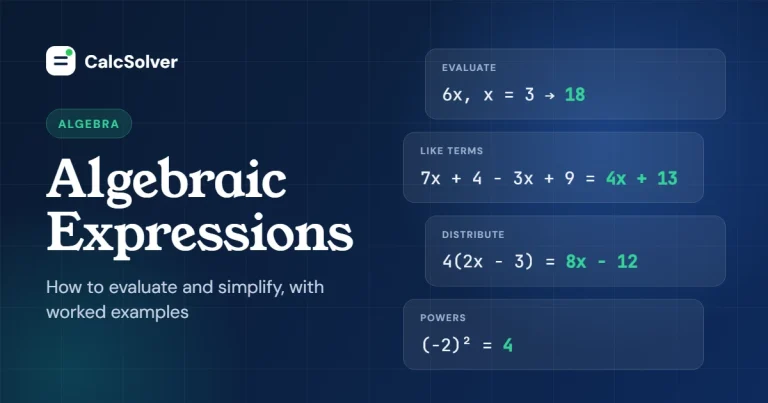
Algebraic Expressions: How to Evaluate and Simplify
Learn how to evaluate an algebraic expression by substitution and simplify it by combining like terms, with clear worked examples and practice problems.
From the Blog
Mental math tricks and calculator tips, with every example checked on the calculator.
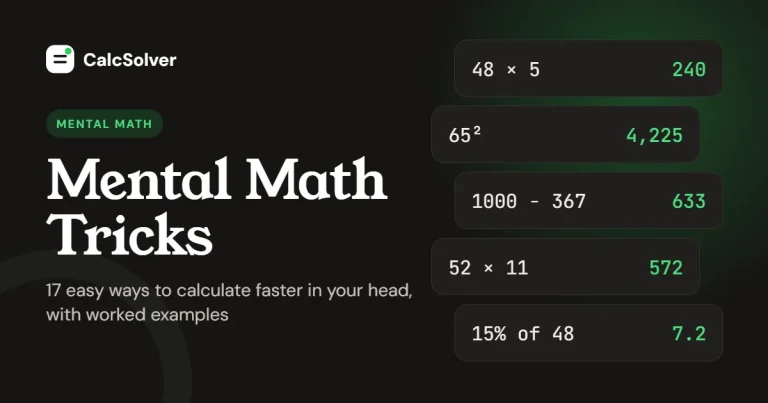
Mental Math Tricks: 17 Easy Ways to Calculate Faster in Your Head
17 mental math tricks with worked examples for adding, multiplying, squaring and percentages, plus a 10-minute practice plan and two quick ways to check your answer.
Who Should Use CalcSolver, and When?
CalcSolver is built for quick, accurate numeric answers whenever you have a browser open. It is not a replacement for the calculator your exam requires.
In short: Use CalcSolver for homework, teaching and quick work math, but use your exam’s approved calculator for tests.
Students: Homework, Practice and Revision
Use it to check homework answers, convert between fractions, decimals and percentages, and practise mental math with the Code Mode games and these 17 mental math tricks. Write your working in the scratchpad, then compare each step with the calculator so you learn where a mistake happened, not just that it happened.
Teachers: Classroom Demos and Answer Checking
Project the calculator during a lesson to show the order of operations live, or switch to dark mode for a clearer view on a projector. It is also a quick way to check an answer key before handing out a worksheet. Nothing needs installing, so it works on any classroom computer.
Engineers and Professionals: Quick Work Calculations
Percentage changes for a report, combinations for a probability estimate, or a quick trig value on site: CalcSolver handles them in a browser tab, with memory keys (M+, M−, MR) for running totals and a history of your last 20 results.
When to use something else: for graphs, symbolic algebra or calculus (derivatives and integrals), use a graphing calculator or a computer algebra system. For exams, use the calculator your test allows. On the digital SAT, students can use the Desmos calculator built into the Bluebook app or an approved handheld; phones, laptops and internet-connected devices are not allowed as calculators. The ACT allows most graphing calculators such as the TI-84 but bans models with a computer algebra system, such as the TI-89 and TI-Nspire CAS. Our disclaimer explains how to use results responsibly.
Is an Online Calculator Better Than a TI-84 or Phone Calculator?
For homework and everyday work, an online scientific calculator is usually the fastest and cheapest choice. For exams and graphing, a handheld still wins. Here is how they compare.
In short: Use CalcSolver for free everyday math with fraction answers, and keep a TI-84 for graphing and the SAT or ACT.
| Feature | CalcSolver (online) | TI-84 Plus CE (handheld) | Phone calculator app |
|---|---|---|---|
| Price | Free | About $95 to $150 | Free |
| Shows the full expression | Yes | Yes | Often only the last number |
| Fraction answers | Yes, automatic | Yes, with a menu step | Rarely |
| Graphing | No | Yes | No |
| Allowed in SAT or ACT | No | Yes | No |
| Works on a school Chromebook | Yes, in the browser | Not needed | Phones are often banned in class |
| History and notes | Last 20 answers plus a scratchpad | Recent entries | Varies |
The TI-84 Plus CE has a list price of about $150 and often sells near $95 during back-to-school sales. If you own one, keep it for tests; use CalcSolver when it is not with you or when you want a bigger screen and fraction answers without menus.
Why Use CalcSolver as Your Online Math Solver?
Fast Results, Even on Slow School Wi-Fi
Once the page has loaded, every calculation runs on your own device, so answers appear instantly and keep working even if the connection drops. The fonts and code are hosted on our own server and kept small, so the page opens quickly.
No Sign-Up, Nothing Stored on Our Servers
There is no account, email or password. Your history, notes and settings are saved only in your own browser, and clearing your browser data removes them. We never see what you calculate. Read our privacy policy for the details.
Works on School Chromebooks and Managed Devices
CalcSolver is a normal web page, so it needs no app, extension or admin permission. It runs in Chrome, Edge, Safari and Firefox on Chromebooks, Windows laptops, Macs, iPads and phones.
Made for Phones, Tablets and Touch Screens
On a phone the number pad comes first, with large keys that are easy to tap, and the scientific keys open with one button. The layout adapts to any screen without sideways scrolling.
Learn the Method, Not Just the Answer
Seeing the full expression, the fraction form and your history makes it easy to spot where a calculation went wrong. Add the scratchpad for your own working, the step-by-step guides for the method, such as our mental math tricks guide, and six short math games in Code Mode for practice.
In short: CalcSolver is free, instant, private and works on any device, and it helps you learn the method, not just get the answer.
Frequently Asked Questions About CalcSolver
What is a calc solver?
A calc solver is an online calculator that reads a full math expression and solves it in the correct order. CalcSolver (sometimes typed as calsolver or cal solver) is a free one that also shows fraction answers and supports trig, logs, roots, nCr and memory keys.
Is CalcSolver really free?
Yes. Every feature, including history, notes, dark mode and the math games, is free with no account, trial or paywall.
Does CalcSolver show step-by-step solutions?
Not for algebra. CalcSolver shows your full expression, the numeric answer and its fraction form, which is enough to check each step of your own working. For the method itself, follow our step-by-step guides.
Can I use CalcSolver during an exam?
Usually not. Most exams ban internet-connected devices; the digital SAT provides its own built-in Desmos calculator, and the ACT allows approved handheld calculators only. Always follow your teacher’s or test’s calculator rules.
Can CalcSolver solve word problems?
It solves the math once you turn the words into numbers. For “a $40 shirt is 25% off”, type 40−25% to get 30. Reading the question and choosing the operation is still up to you.
Why did I get an unexpected answer?
The three most common causes are: the calculator is in RAD when your problem uses degrees (check the DEG / RAD switch), a missing bracket changed the order of operations (1/2×4 is 2, but 1/(2×4) is 0.125), or a percentage was added instead of multiplied (80+15% is 92, while 80×15% is 12). Still stuck? Contact us with the expression you typed.
Why does a calculator site have games?
Turn on Code Mode and enter 0000 to see six short math games, such as Math Sprint, Times Tables and Fraction Duel. They are original practice games that keep the focus on math, and your best scores stay in your browser. Enter a game’s code, such as 1001, to open it directly.
Ready for your next problem?
Head back to the calculator, or take a two-minute break with a math game.