To do fractions on a calculator, use its fraction key if it has one, or divide the top number by the bottom number if it does not. A TI-84 Plus CE and a Casio fx-991EX have fraction templates and can show answers as fractions. Phone calculators and Google have no fraction key, so they give decimals. This guide shows the exact keys for each.
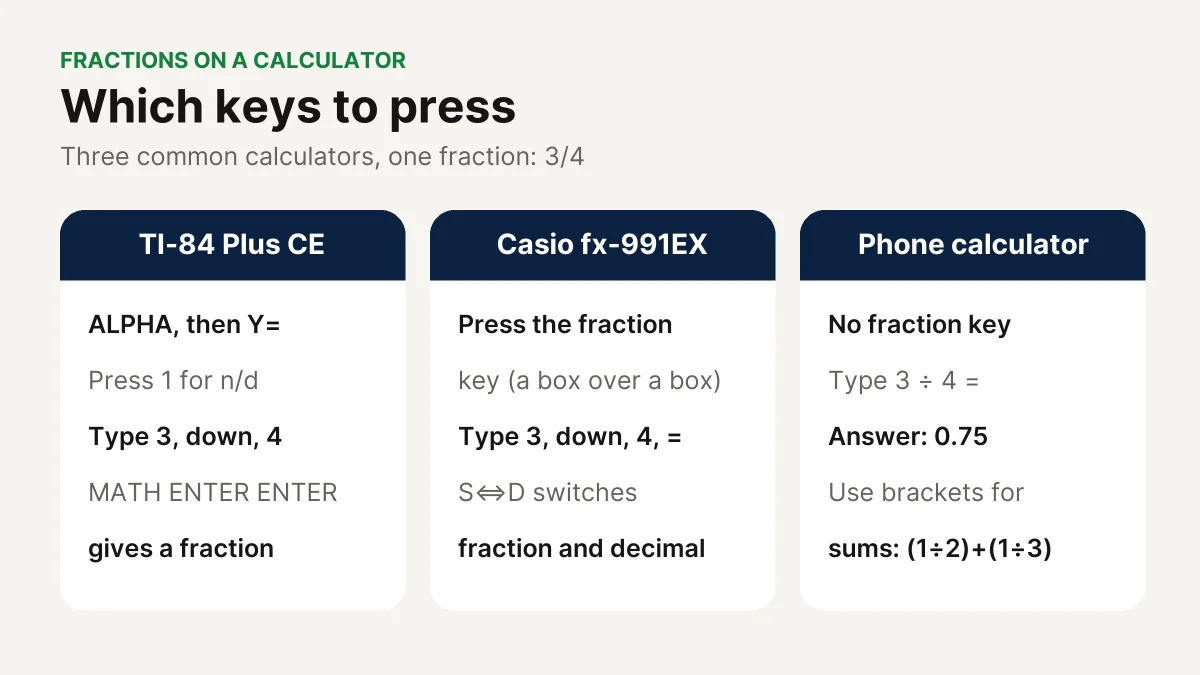
In short: On a TI-84 Plus CE press ALPHA then Y= and choose n/d. On a Casio fx-991EX press the fraction key and use S⇔D to switch between fraction and decimal. On a phone, type 3 ÷ 4 to get 0.75, and use brackets when you add fractions.
In this guide
Quick Answer: Which Keys to Press
| Calculator | Type a fraction | Get a fraction answer | Switch to a decimal |
|---|---|---|---|
| TI-84 Plus CE | ALPHA, Y=, 1 (n/d) | MATH, ENTER, ENTER (►Frac) | MATH, 2, ENTER (►Dec) |
| Casio fx-991EX | Fraction key (a box over a box) | Shown as a fraction by default | S⇔D key |
| iPhone or Android calculator | Top ÷ bottom | Not available | Answer is already a decimal |
| Google search | 3/4 or 1/2 + 1/3 | Not available | Answer is a decimal |
| CalcSolver fraction calculator | Boxes, or type 2 1/3 | Always (simplest form) | Shown next to the fraction |
How to Do Fractions on a TI-84 Plus CE
The TI-84 Plus CE has a fraction menu called FRAC. Open it by pressing ALPHA and then Y=.
- Type a fraction: press ALPHA, Y=, then 1 to choose n/d. Type the numerator, press the down arrow, type the denominator, then press the right arrow to leave the fraction.
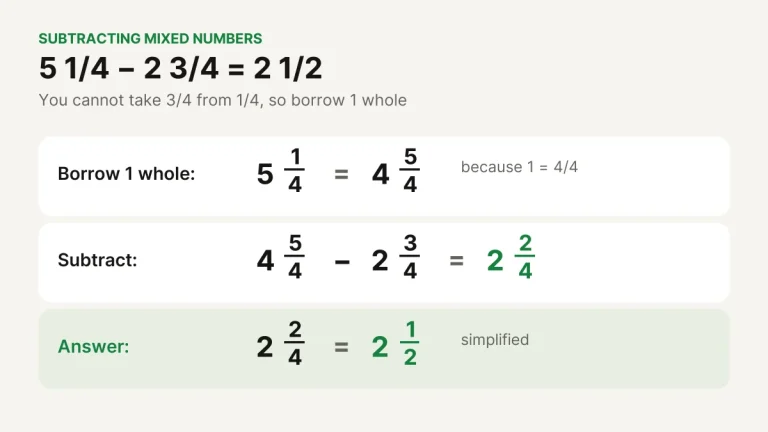
- Type a mixed number: press ALPHA, Y=, then 2 to choose Un/d. Type the whole number, press the right arrow, then fill in the numerator and denominator the same way.
- Turn an answer into a fraction: after a calculation, press MATH, ENTER, ENTER. This uses ►Frac.
- Turn a fraction into a decimal: press MATH, 2, ENTER. This uses ►Dec.
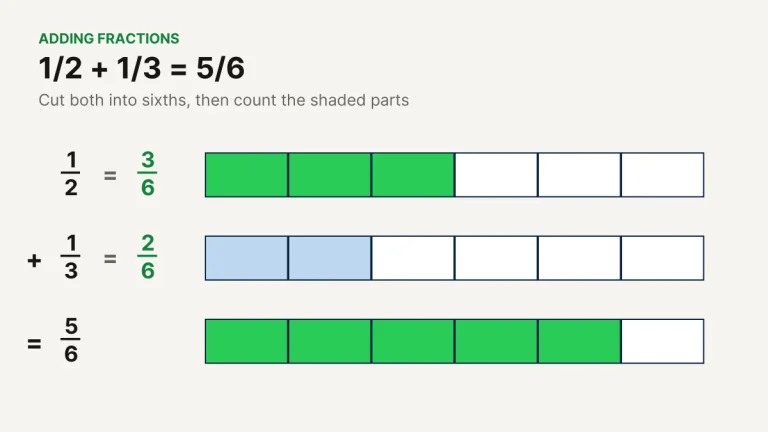
Example: Type 1/2 + 1/3 with the n/d template and press ENTER. The TI-84 Plus CE shows 5/6. Press MATH, 2, ENTER to see 0.8333333333.
How to Do Fractions on a Casio fx-991EX
- Type a fraction: press the fraction key (it shows a small box over another box). Type the numerator, press the down arrow, type the denominator, then press = .
- Type a mixed number: press SHIFT and then the fraction key. Type the whole number first, then the numerator and denominator.
- Switch between fraction and decimal: press the S⇔D key after you get an answer.
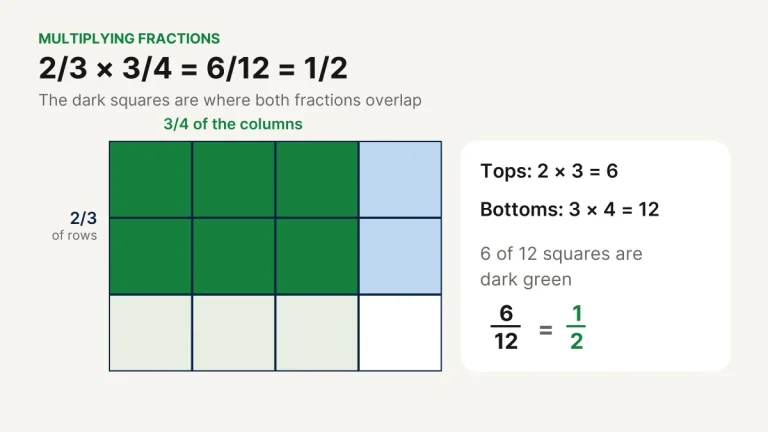
Example: On a Casio fx-991EX, 2/3 × 3/4 = gives 1/2. Press S⇔D and it shows 0.5.
How to Do Fractions on a Phone or Google
The basic calculator on an iPhone or Android phone has no fraction key. A fraction is a division, so type the top number, ÷, and the bottom number: 3 ÷ 4 = 0.75.
- Adding or subtracting fractions: turn your phone sideways for the scientific keys and use brackets: (1 ÷ 2) + (1 ÷ 3) = 0.8333… Brackets make sure each fraction is worked out before they are added.
- Google: type the problem into the search box, such as 1/2 + 1/3. Google shows a decimal answer, not a fraction.
- Getting a fraction back: a phone cannot turn 0.8333… back into 5/6. Use the fraction calculator or the CalcSolver scientific calculator, which shows a fraction next to clean decimal answers.
Online Fraction Calculator With Steps
If you need the working and not just the answer, an online fraction calculator is easier than a handheld one. Type 2 1/3 + 3/4 into the CalcSolver fraction calculator and it shows each step: change the mixed number to 7/3, find the common denominator 12, add 28/12 + 9/12, and give 37/12 = 3 1/12.
Try it
Type any fraction problem and see every step, with the answer as a fraction, mixed number and decimal.
Common Mistakes With Fractions on a Calculator
- Missing brackets. 1 ÷ 2 + 1 ÷ 3 works, but 1 + 1 ÷ 2 + 3 does not mean (1 + 1) ÷ (2 + 3). Put each fraction in brackets.
- Rounding too early. 1/3 is 0.333… forever. If you round it to 0.33 and multiply by 3, you get 0.99 instead of 1.
- Mixed numbers on a phone. 2 1/3 means 2 + 1/3, so type 2 + 1 ÷ 3, not 21 ÷ 3.
- Forgetting to switch back. If a TI or Casio shows decimals when you want fractions, use ►Frac or S⇔D.
FAQ
How do you put a fraction in a calculator?
On a scientific or graphing calculator, use the fraction key or template (n/d on a TI-84, the box-over-box key on a Casio). On a basic or phone calculator, divide the numerator by the denominator.
How do you do fractions on a phone calculator?
Type the numerator, the ÷ key and the denominator. For sums, turn the phone sideways and put each fraction in brackets, such as (1 ÷ 2) + (1 ÷ 3). The answer is a decimal.
How do you turn a decimal into a fraction on a calculator?
On a TI-84 Plus CE press MATH, ENTER, ENTER (►Frac). On a Casio fx-991EX press S⇔D. A phone calculator cannot do this, but an online fraction calculator can: type 0.375 to get 3/8.
How do you simplify a fraction on a calculator?
Type the fraction with the fraction template and press = or ENTER. Fraction calculators show the answer in simplest form, so 18/24 becomes 3/4.
Can Google calculator do fractions?
Google can calculate with fractions you type, such as 1/2 + 1/3, but it shows the answer as a decimal (0.8333…), not as a fraction.
Sources and Further Reading
- Texas Instruments, Knowledge base: entering fractions and mixed numbers on the TI-84 Plus CE.
- Dummies, How to work with fractions on the TI-84 Plus.
- Casio, fx-991EX / fx-570EX Quick Start Guide: Basic Calculation.
More fraction guides: How to add fractions, How to multiply fractions, Mixed numbers and improper fractions, Fraction, decimal and percent chart. Or check any answer with the fraction calculator.
Check your working in seconds
Type any problem from this guide into the free CalcSolver calculator and see the answer, with fractions, instantly.